

项目简介:
github_backups / github 备份: 用于备份github仓库的源码,采用多线程下载到本地磁盘
项目运行环境:
- jdk8
- git
如何运行项目?
1. clone 项目
Shell
git clone https://github.com/HouYuSource/java_spider.git
2. 使用idea打开项目
把 shaines-jxbrowser-6.23.1-min.jar 添加到资源库中
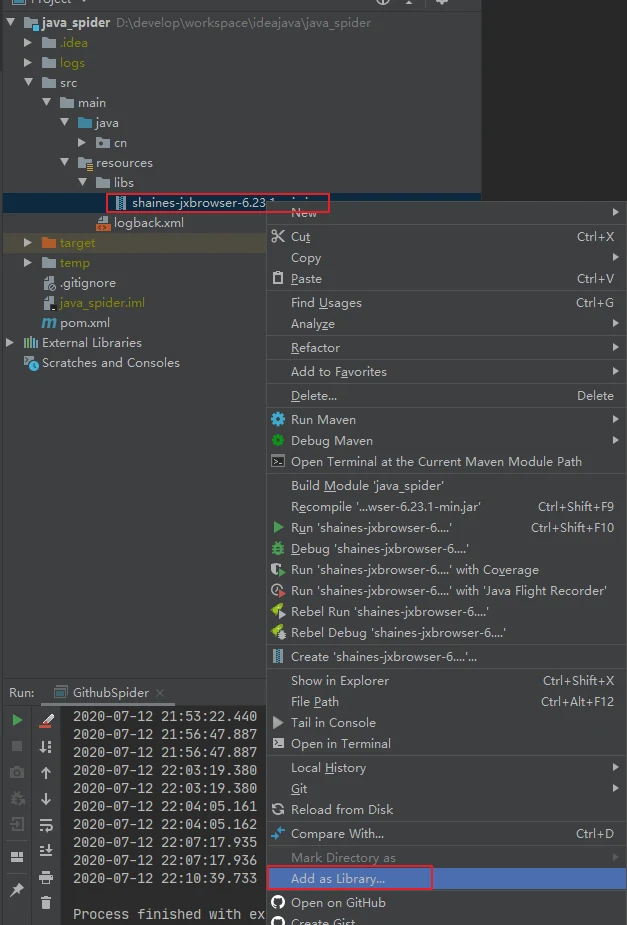
3. 运行GithubSpider#Main
登录
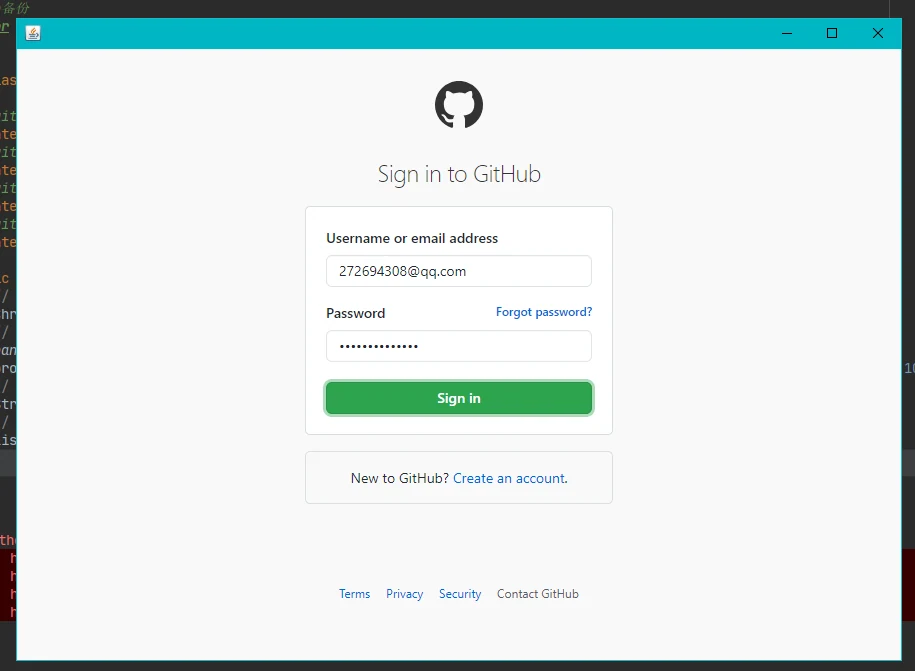
控制台输入
Java
gitUrls = [https://github.com/HouYuSource/java_spider.git, https://github.com/HouYuSource/GeJing-Cup.git, https://github.com/HouYuSource/Spider.git, https://github.com/HouYuSource/Netty_Proxy.git, https://github.com/HouYuSource/lanproxy.git, https://github.com/HouYuSource/filesystem.git, https://github.com/HouYuSource/concurrent_download.git, https://github.com/HouYuSource/test.git, https://github.com/HouYuSource/blog-admin-ui.git]
正在开启任务: [1]: [https://github.com/HouYuSource/java_spider.git]
完成任务: [1]: [https://github.com/HouYuSource/java_spider.git]
正在开启任务: [2]: [https://github.com/HouYuSource/GeJing-Cup.git]
完成任务: [2]: [https://github.com/HouYuSource/GeJing-Cup.git]
正在开启任务: [3]: [https://github.com/HouYuSource/Spider.git]
完成任务: [3]: [https://github.com/HouYuSource/Spider.git]
正在开启任务: [4]: [https://github.com/HouYuSource/Netty_Proxy.git]
完成任务: [4]: [https://github.com/HouYuSource/Netty_Proxy.git]
正在开启任务: [5]: [https://github.com/HouYuSource/lanproxy.git]
完成任务: [5]: [https://github.com/HouYuSource/lanproxy.git]
正在开启任务: [6]: [https://github.com/HouYuSource/filesystem.git]
完成任务: [6]: [https://github.com/HouYuSource/filesystem.git]
正在开启任务: [7]: [https://github.com/HouYuSource/concurrent_download.git]
完成任务: [7]: [https://github.com/HouYuSource/concurrent_download.git]
正在开启任务: [8]: [https://github.com/HouYuSource/test.git]
完成任务: [8]: [https://github.com/HouYuSource/test.git]
正在开启任务: [9]: [https://github.com/HouYuSource/blog-admin-ui.git]
完成任务: [9]: [https://github.com/HouYuSource/blog-admin-ui.git]
完成任务
4. 查看下载文件
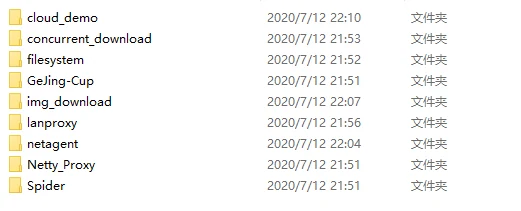
备份文件默认保存在运行项目目录下:$/temp/github_backups 下载之后的效果图如下:
提示:由于 github 在国外,因此网络方面可能不是很好,如果运行起来下载文件比较慢或者打开页面都比较慢的话,那只能从优化自己的网络,提高体验了。。。
联系方式
- 邮箱*:for.houyu@qq.com
讨论